
Printer Brother DCP-J132W
Change Printer cartridges Brother DCP-J132W
Want to know how to change cartridges Brother DCP-J153W? Us how:
The Brother DCP-J132W printer has four individual ink cartridges. Here we can locate on the right front of the printer:
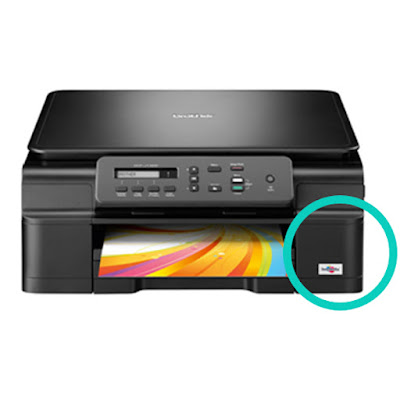
To change we can follow the steps come in the User Guide of the printer or the following:
- Open the cartridge cover.
- Each cartridge has a flange at the top. Simply press the lever to release the lock and the cartridge will.

- Take the new cartridge and remove all the protections you may have. (Without shaking the cartridge).
- Insert the cartridge in its corresponding color and gently press the cartridge into until you see the lock lever is lifted.
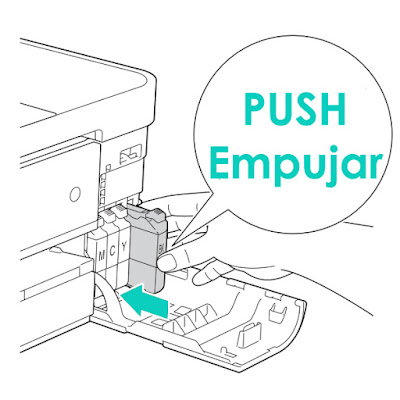
- Close the cartridge cover ... and READY!
You have changed your cartridges Brother printer!
To see de original content click to Como cambiar los cartuchos de la impresora Brother DCP-J132W
